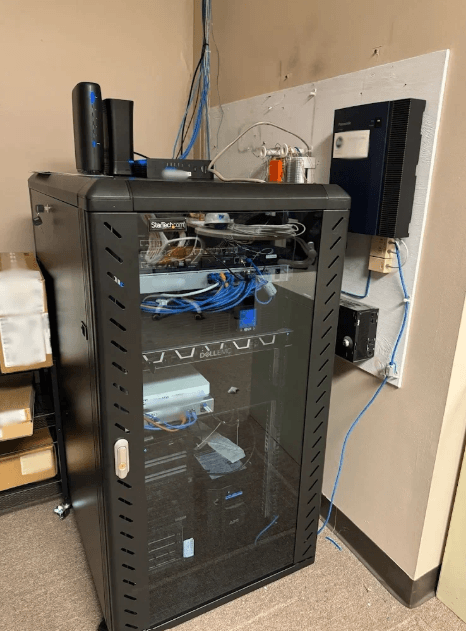

Cybersecurity is not just a business buzzword or something reserved for giant companies with dramatic server rooms. It matters for home users, remote workers, small businesses, students, families, and anyone who stores important information on a computer. Passwords, email accounts, Wi-Fi networks, laptops, backups, and personal files all need protection.
Layer 2 Computers provides IT support and services for business and residential clients in the Dayton, Ohio, to Warren County area, including managed IT services, cybersecurity, data backup, network solutions, remote support, and computer repair. Their cybersecurity page emphasizes a layered approach to protecting computers, networks, data, hardware, software, and employees. That idea is important because online threats rarely knock politely before entering.
1. Use Strong Passwords and Multi-Factor Authentication
Weak passwords are still one of the easiest ways for accounts to be compromised. A strong password should be long, unique, and not reused across accounts. Reusing one password everywhere is like using the same key for the house, car, office, shed, and mysterious drawer full of old cables.
Multi-factor authentication adds another layer by requiring a second verification step, such as an app prompt or code. It is especially important for email, banking, cloud storage, business accounts, and password managers. Even if a password is stolen, multi-factor authentication can make unauthorized access much harder.
2. Keep Software and Devices Updated
Updates can feel inconvenient, but they often fix security weaknesses. Operating systems, browsers, antivirus tools, apps, routers, and business software all need routine attention. Cyber attackers frequently target known vulnerabilities after updates have already been released.
For businesses, updates should be managed carefully so they do not interrupt work. For home users, automatic updates can help, but failed updates, repeated restart prompts, or outdated systems may need professional review. A computer that refuses updates is not being charmingly independent. It may be creating risk.
3. Watch for Phishing Emails and Suspicious Messages
Phishing attacks try to trick people into clicking links, opening attachments, sharing passwords, or sending money. These messages may pretend to come from banks, delivery services, software companies, coworkers, or well-known brands. They often create urgency: “Act now,” “your account is locked,” or “review this invoice immediately.”
Safe habits include checking the sender, hovering over links before clicking, avoiding unexpected attachments, and being cautious with login pages. If a message feels rushed, strange, or too convenient, slow down. Cybersecurity often begins with one person deciding not to click.
4. Protect Laptops, Desktops, and Mobile Workstations
Physical devices matter too. Laptops are especially vulnerable because they move between homes, offices, vehicles, coffee shops, and travel bags. A secure laptop should have a login password, disk encryption when appropriate, updated protection software, and regular backups.
If a computer becomes slow, infected, damaged, or unreliable, repair and security support may overlap. Malware, failing drives, overheating, and corrupted software can all create confusing symptoms.
For users dealing with device problems, laptop repair in Dayton can help connect computer troubleshooting with broader security and support needs.
5. Back Up Important Data Before Trouble Happens
Backups are one of the most practical cyber security defenses. They help protect files from hardware failure, accidental deletion, ransomware, theft, and software problems. A strong backup plan should be automatic, secure, and tested. The “tested” part matters because a backup that cannot restore files is basically a motivational poster.
Businesses may need structured backup plans for documents, accounting data, client files, databases, and cloud services. Home users may need protection for family photos, tax documents, school files, and personal records. The right backup approach depends on how important the data is and how quickly it needs to be recovered.
6. Secure Wi-Fi and Business Networks
A network is the road your data travels on. If the road is poorly guarded, problems can spread quickly. Secure Wi-Fi should use strong encryption, a strong router password, and updated router firmware. Businesses may also need guest networks, firewall protection, remote access controls, device monitoring, and user permissions.
Layer 2 Computers lists network solutions and managed IT services among its offerings, which connect closely with cybersecurity. A secure computer is helpful, but a secure computer on a poorly managed network is still exposed. Cyber protection works best when devices, users, software, and networks are considered together.
7. Get Help Before Small Warnings Become Big Problems
Cybersecurity issues often start with small warning signs: unusual pop-ups, browser redirects, sudden slowdowns, login alerts, missing files, unknown programs, or antivirus warnings. Waiting can make the problem worse, especially if malware spreads or important data is affected.
For local technology help, Layer 2 Computers – Tech Support, Computer Repairs, and IT Services provides information about support for residential and business customers in the Dayton and Warren County region.
Professional support can help identify whether a problem is malware, hardware failure, account compromise, network trouble, or software corruption. That diagnosis matters because the right fix depends on the real cause.
See also: The 5 Best Business Storytelling and Executive Communication Courses
Build Safer Technology Habits One Layer at a Time
Cybersecurity works best when it is layered, consistent, and realistic. Strong passwords, updates, phishing awareness, device protection, backups, network security, and timely support all reduce risk. No single step makes a computer completely untouchable, but each smart habit makes it harder for problems to take hold.
For homes and businesses, the goal is not fear. The goal is confidence. With better habits and the right support, users can protect important data, reduce downtime, and keep technology working the way it should.